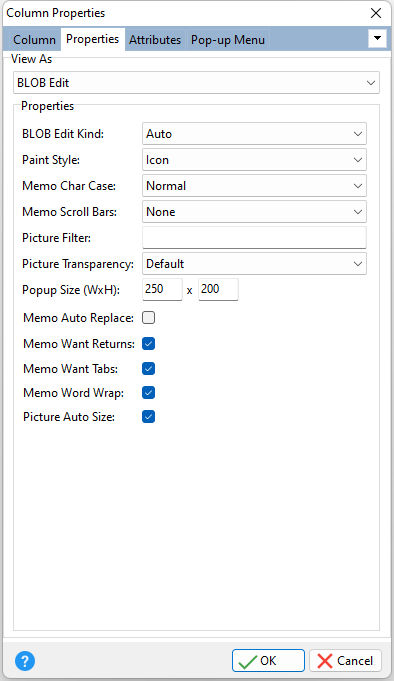
ð View As Specifies the view type for the column. After selecting the view type, the appropriate "Properties" will appear in the area.
•BLOB Edit - displays BLOB data, such as an images and text •Calc Edit - displays a calculator •Check Box - displays a check box •Currency Edit - edits currency value •Date Edit - displays a calendar •Hyperlink - display text as a hyperlink •Image - displays an image •Label - displays a custom label with painting options and effects •Format Mask - restricts the characters entered •Memo - edits memo text •Rich Edit - displays rich text format data •Spin Edit - displays a spin edit object •Text Edit - edit text value •Time Edit - edits time values •Track Bar - displays a track bar editor that edits values using a slider
|
|